 Available now
Tholi for Chrome
A little direction, right beside your tabs.
Add to ChromeOpens Chrome Web Store. Chromium 140+ on desktop. Your browser confirms installation.
YOUR GUIDE, ONE TAB AWAY
A small guide for the things you came to do. Choose your browser, add Tholi, and tell it where you want to go.
Local by default. No Tholi account required.

One destination.
One helpful next step.
Available nowA little direction, right beside your tabs.
Add to ChromeOpens Chrome Web Store. Chromium 140+ on desktop. Your browser confirms installation.
 Available now
Your next step, with your browser still yours.
Add to FirefoxOpens Firefox Add-ons. Firefox 153+ on desktop. Your browser confirms installation.
YOUR FIRST FEW STEPS
Install from your browser’s store, then start on a website you want help with.
Choose Chrome or Firefox above. Review the listing and permissions, then confirm in your browser. Opening a listing does not install Tholi.
Find Tholi in your browser’s Extensions menu. Pin it to the toolbar for easy access, then select its icon to open the guide.
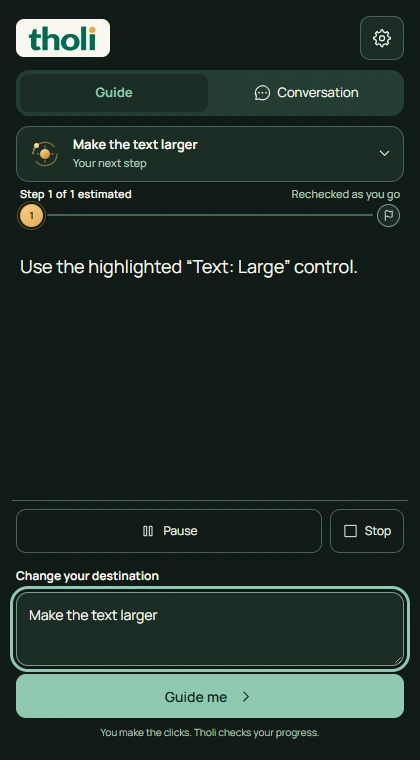
On the website you want help with, grant website access when asked. Tell Tholi what you want to do and start guidance. You make the clicks and confirm consequential actions.
You choose which websites Tholi can access. Pause or stop guidance whenever you need. Processing stays local by default; connecting your own private backend is optional.